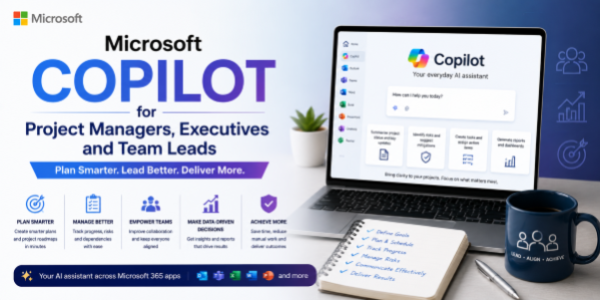
Microsoft COPILOT for Project Managers, Executives and Team Leads
About the Course:
Artificial Intelligence is transforming modern workplaces by enabling smarter collaboration, faster decision-making, streamlined communication, and improved productivity. Microsoft Copilot brings AI directly into everyday business tools such as Microsoft Word, Excel, PowerPoint, Outlook, Teams, and other Microsoft 365 applications, helping professionals work more efficiently and strategically.
This practical course is designed specifically for Project Managers, Business Executives, Team Leads, and organizational leaders who want to leverage Microsoft Copilot to improve project execution, communication, reporting, collaboration, and team productivity.
Participants will learn how Microsoft Copilot can assist in project planning, meeting management, report generation, task tracking, presentations, data analysis, email drafting, workflow organization, and strategic decision-making. The course focuses on practical business applications, real-world workflows, and ready-to-use AI prompts within the Microsoft ecosystem.
By the end of the session, participants will understand how to effectively integrate Microsoft Copilot into daily leadership and project management activities while maintaining productivity, collaboration, and professional standards.
Course Objectives:
The objective of this course is to help participants understand and effectively use Microsoft Copilot to:
- Improve project planning and task management
- Enhance communication and collaboration workflows
- Automate repetitive administrative and reporting tasks
- Generate professional documents, presentations, and summaries faster
- Improve meeting management and follow-up processes
- Support data analysis and business decision-making
- Increase team productivity and operational efficiency
- Use AI responsibly within professional and organizational environments
The course is designed to provide practical and hands-on knowledge that participants can immediately apply in their leadership and project management roles.
Who is the Target Audience?
This course is ideal for:
- Project Managers
- Team Leaders and Supervisors
- Business Executives
- Operations Managers
- Program Managers
- Department Heads
- Corporate Professionals
- Administrative Managers
- Business Analysts
- Entrepreneurs and Startup Founders
- Professionals using Microsoft 365 tools regularly
Basic Knowledge:
- No prior AI or technical background is required.
Module 1: Introduction to Microsoft Copilot
- What is Microsoft Copilot?
- Understanding Generative AI in the workplace
- Overview of Microsoft 365 Copilot capabilities
- AI trends in project management and leadership
- Understanding prompts and AI interactions
Module 2: Microsoft Copilot for Project Management
- Creating project plans and task breakdowns
- Assisting in timeline and milestone planning
- Generating project summaries and status reports
- Supporting risk identification and action tracking
- Managing project documentation efficiently
- AI-assisted workflow organization
Module 3: Communication and Collaboration with Copilot
- Drafting professional emails in Outlook
- Creating meeting agendas and summaries in Teams
- Managing communication workflows effectively
- Improving team collaboration and coordination
- Preparing executive updates and stakeholder communication
- Automating repetitive communication tasks
Module 4: Productivity with Word, Excel, PowerPoint, and Teams
- Generating reports and business documents in Word
- Summarizing and analyzing data in Excel
- Creating presentations and executive decks in PowerPoint
- Managing meetings and action items in Teams
- AI-assisted productivity workflows across Microsoft 365
- Simplifying daily operational tasks
Module 5: Prompt Engineering for Managers and Leaders
- Writing effective prompts for business workflows
- Prompt templates for project management and reporting
- Improving AI-generated outputs for professional use
- Customizing prompts for different leadership scenarios
- Common mistakes and limitations to avoid
Module 6: Ethics, Security, and Future of AI at Work
- Responsible use of AI in organizations
- Data privacy and security considerations
- Human oversight and decision-making responsibilities
- Managing AI limitations and risks
- Future trends of AI in workplace productivity and leadership